Exploring vector databases, you’ll quickly bump into terms that sound mathematical and abstract. But with the right analogy, the concepts click into place. Let’s explore how vector databases work by using kids in a park, pointing arms, and a trusty protractor.
Pointing in the park
Imagine this.
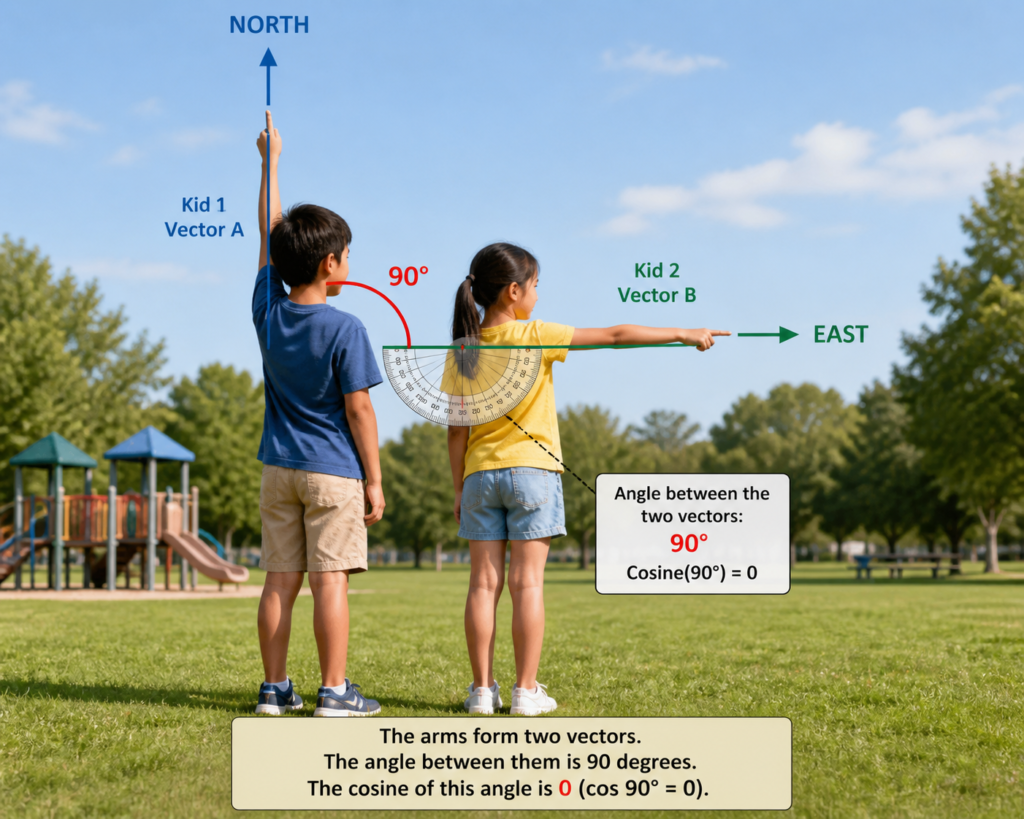
Two kids are standing close to each other in a park. Each kid is pointing at something. You don’t know what they’re pointing at, but you wonder, are they pointing at the same thing?
To find out, you pull out a handy protractor and measure the angle between their arms. Turns out the angle is 90 degrees.
- At 90°, their directions are unrelated.
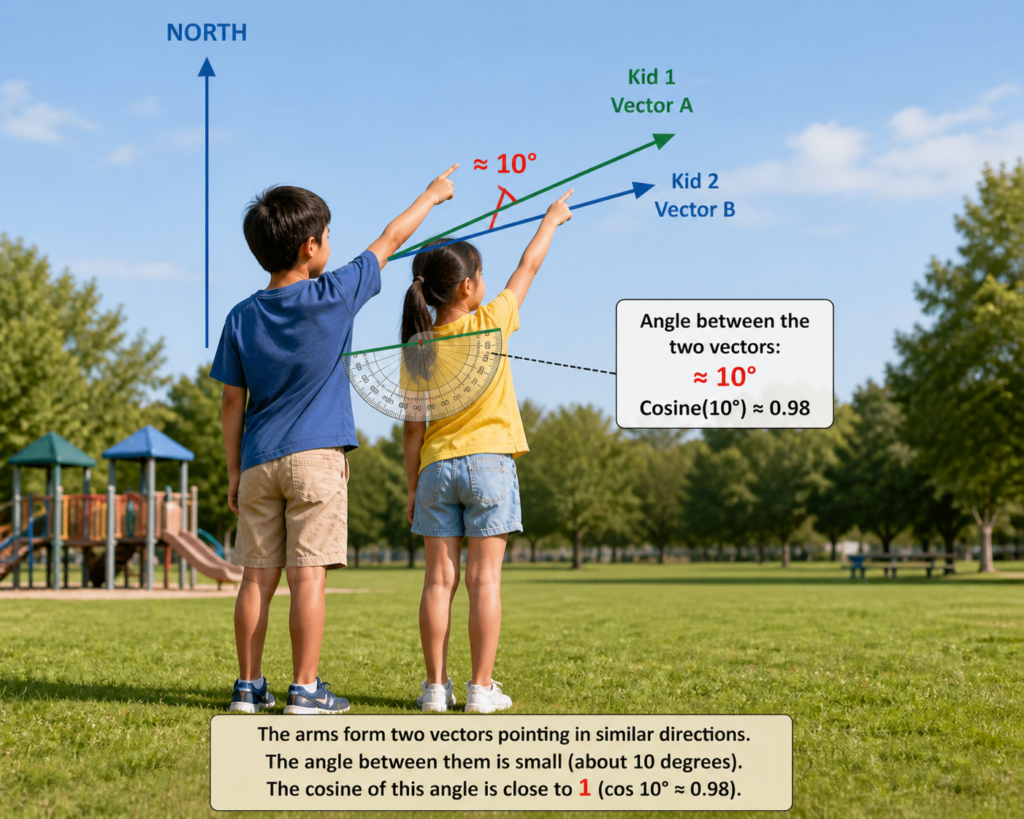
- If the angle were 0°, they’d be pointing in the same direction.
- If the angle were 180°, they’d be pointing in opposite directions.
From just the angle, you can guess how related their targets are.
Creating a score
Vector databases don’t stop with angles. They convert angles into a score between 1 and minus 1, which is called a cosine similarity.
Here are three examples:
- cos(0°) = 1 means the two things are very similar.
- cos(90°) = 0 means the two things are unrelated.
- cos(180°) = -1 means two things are opposite.
This score makes it easy to rank thousands (or millions) of comparisons. Instead of saying “these are 12° apart,” we now have a standard similarity score.
Back to the vector database
Now let’s replace two kids in our story with vector data:
- A user query is one vector like the arm of one kid pointing in the park.
- Each chunk of content stored in the database is another vector, like thousands of kids pointing in the same park.
The system compares the query vector against stored vectors (often using highly optimized indexing techniques). Each pairing gets a cosine score. The top K results (say, the top 3 or 5) are selected as the most relevant matches. Those chunks are then passed to the AI model to generate a natural response.
What’s a vector?
A vector is simply a list of numbers. Together, the numbers encode the meaning of the text, like this:
[0.0023841, -0.7341205, 0.1849372, 0.0003921 ...]Each number in the set is separated by a comma. How many numbers are in a vector? The number of values depends on the embedding model being used. Some systems allow dimension reduction or configurable dimensions, but the model usually defines the default size.
Here are some typical dimensions:
- 384 – smaller, faster, cheaper. Less nuance.
- 768 – mid-range. Common in open source models.
- 1536 – OpenAI’s text-embedding-3-small.
- 3072 – OpenAI’s text-embedding-3-large. More nuance, more cost.
Higher dimensions mean more capacity to capture subtle meaning differences. But also more storage and slower comparisons. For most use cases, 1536 is the practical sweet spot.
Running the numbers
Here’s how the math plays out:
- A query vector (say, 1536 numbers long) is generated.
- Each stored vector in the database is lined up with the query vector.
- The vector search engine multiplies corresponding numbers, sums them up, and divides by the magnitudes of the vectors.
- The result is the cosine similarity score.
- Scores are ranked, and the top matches are sent to the language model.
The language model then uses those matches as context to craft a coherent answer.
Putting it all together
The workflow looks like this:
- Embedding > Convert text into vectors.
- Similarity search > Compare vectors using cosine similarity.
- Ranking > Sort by similarity scores.
- Response generation > Use top results to create a natural reply.
That’s the hidden math behind vector databases: turning words into numbers, comparing directions, and guiding AI toward the most relevant information.